Guides4 min read
Fiverr Phone Verification Not Working? Causes and Fixes
Fiverr phone verification not working? Learn why the code may not arrive, what Fiverr's help page says about number types and limits, and how to fix the problem.
Many people sign up for Fiverr without trouble until the platform asks for a phone number. You enter it, wait for the message, and sometimes nothing arrives. This guide explains why Fiverr phone verification can fail, based on Fiverr's own help information, and what you can do about it.
𝗪𝗵𝘆 𝗗𝗼𝗲𝘀 𝗙𝗶𝘃𝗲𝗿𝗿 𝗔𝘀𝗸 𝗳𝗼𝗿 𝗣𝗵𝗼𝗻𝗲 𝗩𝗲𝗿𝗶𝗳𝗶𝗰𝗮𝘁𝗶𝗼𝗻?
According to Fiverr, phone verification is a security measure that links a phone number to your account. It helps protect the account and maintain trust in the marketplace.
All freelancers must verify their phone number before offering services. New clients who register with an email address are asked to verify when they try to contact another Fiverr user. Fiverr says the number is used for verification only, and is not shared with third parties or used for marketing.
𝗪𝗵𝘆 𝘁𝗵𝗲 𝗙𝗶𝘃𝗲𝗿𝗿 𝗩𝗲𝗿𝗶𝗳𝗶𝗰𝗮𝘁𝗶𝗼𝗻 𝗖𝗼𝗱𝗲 𝗗𝗼𝗲𝘀 𝗡𝗼𝘁 𝗔𝗿𝗿𝗶𝘃𝗲
If your Fiverr SMS code does not arrive, the cause is often one of these:
- The number type is not supported. Fiverr says virtual numbers and VoIP services, including Google Voice, are not compatible with its verification system.
- The number is already linked to another Fiverr account. A number can be linked to only one account, even if that account is disabled.
- You requested too many codes. Fiverr says verification attempts are limited and that you may have to wait 24 hours after reaching the limit.
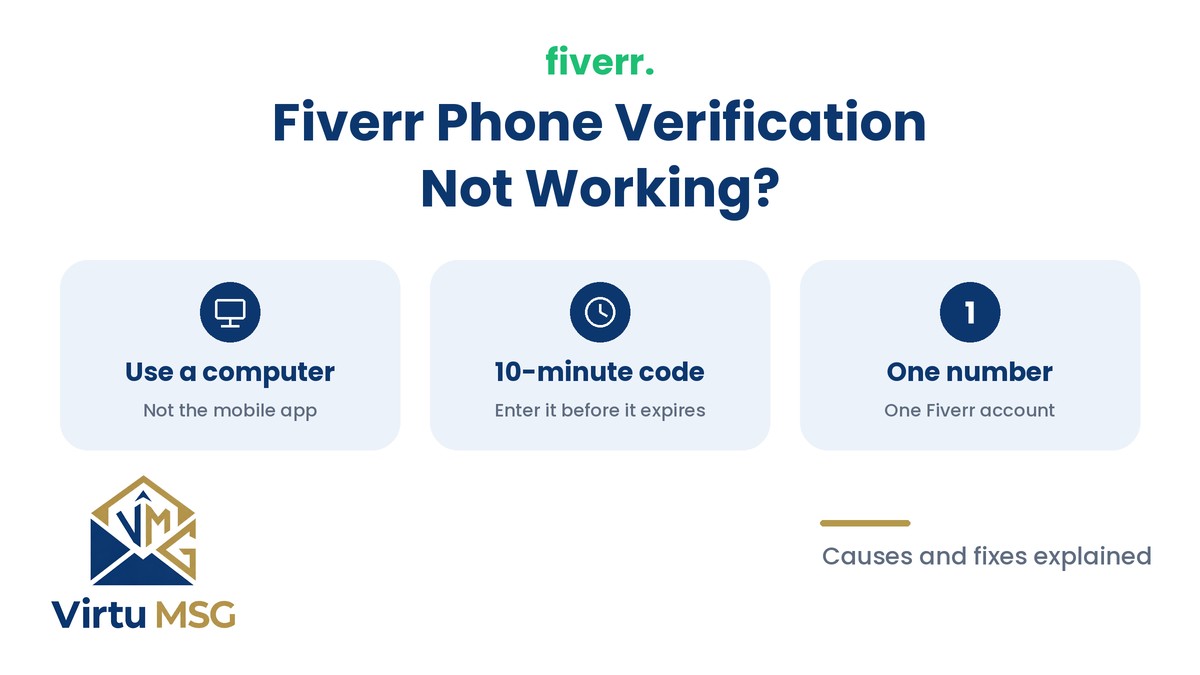
- The code expired. You must use it within 10 minutes of it being sent.
- You started on a mobile device. Fiverr says verification must be completed on a desktop or PC.
- Your phone is blocking the message. Do Not Disturb, or apps that filter SMS or WhatsApp messages, can stop the code from showing.
- The number was entered incorrectly. Fiverr asks for numbers without leading zeros, spaces, or special characters.
𝗛𝗼𝘄 𝘁𝗼 𝗙𝗶𝘅 𝗙𝗶𝘃𝗲𝗿𝗿 𝗣𝗵𝗼𝗻𝗲 𝗩𝗲𝗿𝗶𝗳𝗶𝗰𝗮𝘁𝗶𝗼𝗻 𝗣𝗿𝗼𝗯𝗹𝗲𝗺𝘀
- Use a laptop or PC, not the mobile app or phone browser.
- Check that the number is a working mobile number that belongs to you, and that it is entered in the format Fiverr asks for.
- Turn off Do Not Disturb and check that no app is blocking or filtering messages.
- Wait for the code. SMS messages can take up to 10 minutes, and requesting a new code too early may reset the process or lead to a temporary block.
- If nothing arrives, wait 30 to 60 minutes before trying again and avoid repeated requests.
- Restart your device or try another internet connection. Clearing your browser cache and cookies, or using incognito mode or a different browser, can also help.
- Try the same SIM card in another phone, or test your phone with a different SIM.
- If Fiverr says the number is already in use, sign in to your existing account and close it. If you cannot access it, contact Fiverr Customer Support.
Fiverr's help page lists the exact attempt limits, and these can change, so check the latest version before you try again.
𝗖𝗮𝗻 𝗬𝗼𝘂 𝗨𝘀𝗲 𝗮 𝗩𝗶𝗿𝘁𝘂𝗮𝗹 𝗡𝘂𝗺𝗯𝗲𝗿 𝗳𝗼𝗿 𝗙𝗶𝘃𝗲𝗿𝗿?
Fiverr's help page says virtual numbers, landlines, and VoIP services are not compatible with its verification system. The page is not fully consistent about landlines, since another section mentions a call option for people without a mobile number, so check the current guidance if this applies to you.
Because of this, a virtual number is not a reliable way to complete Fiverr verification. Virtual number services such as VirtuMSG can be useful on platforms that accept them, but each platform sets its own rules. Do not use a different number to avoid Fiverr's checks or to run more than one account.
𝗛𝗼𝘄 𝘁𝗼 𝗖𝗵𝗮𝗻𝗴𝗲 𝗬𝗼𝘂𝗿 𝗙𝗶𝘃𝗲𝗿𝗿 𝗣𝗵𝗼𝗻𝗲 𝗡𝘂𝗺𝗯𝗲𝗿
If you need to update your verified number, go to Account settings, then Account security, and click Edit under Phone verification. Fiverr asks you to answer your security question and provide your old phone number. You do not need access to that old number.
After you change your number, Fiverr says you must wait 48 hours before you can withdraw funds again. If you registered as a client with an email address, Fiverr also mentions a one-click login with Google, Apple, or Facebook that does not need a phone number. This does not apply to freelancer accounts.
𝗙𝗶𝗻𝗮𝗹 𝗧𝗵𝗼𝘂𝗴𝗵𝘁𝘀
Fiverr phone verification usually fails for a small number of documented reasons: an unsupported number type, a number already linked to another account, too many requests, an expired code, or a device setting. Use a real mobile number that you control, complete the process on a computer, wait before retrying, and contact Fiverr Customer Support if the problem continues.